Windows · Microsoft Store

Run multiple Claude Desktop instances at the same time, each fully isolated

Personal in one window, work in another — both open at once, each with its own account, session and settings. No sign-out. Ever.

Get it on Microsoft Store →

$9.49 · one-time purchase · no subscription · works with your existing install
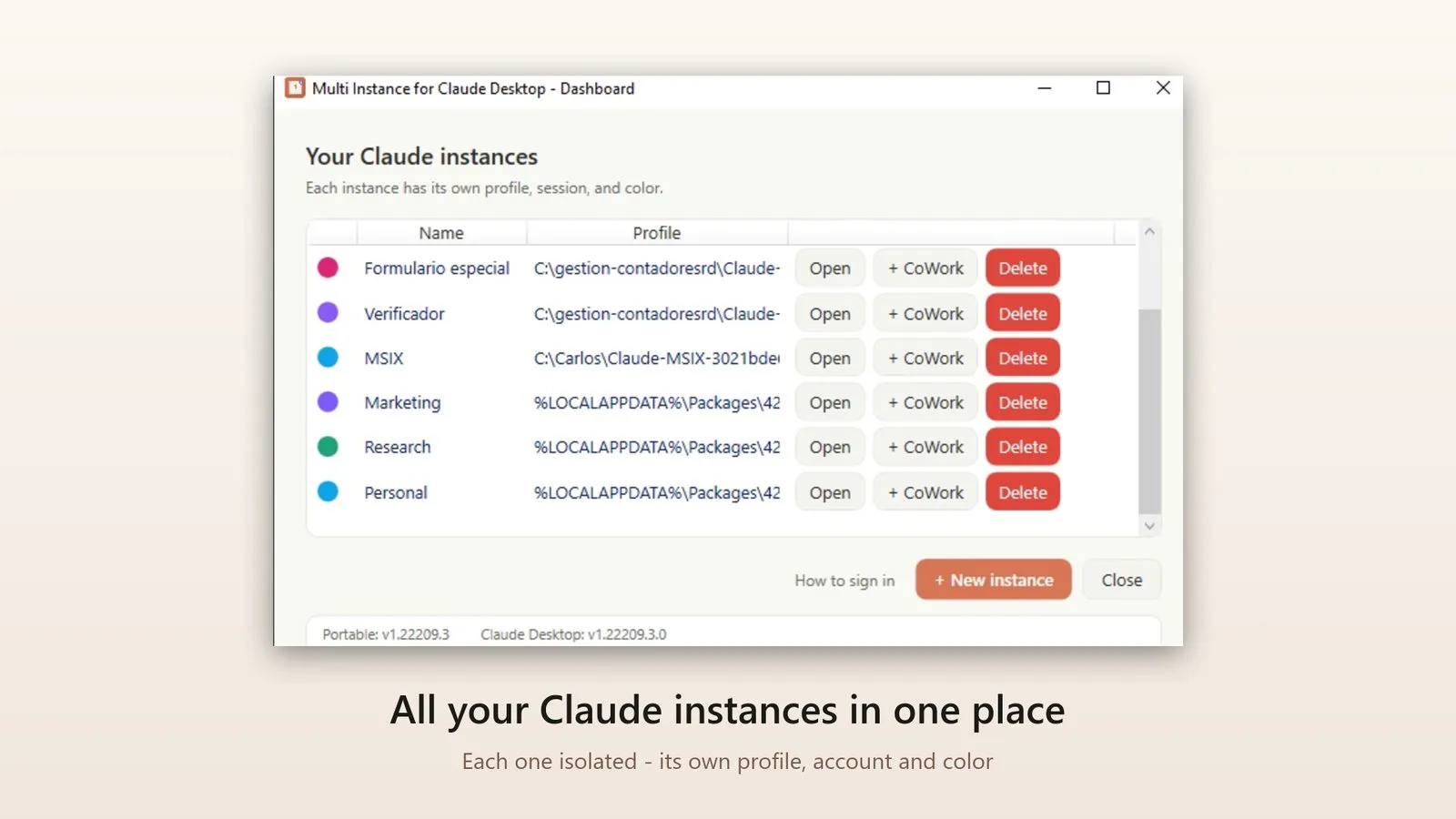
Multi Instance Pro dashboard showing several isolated Claude Desktop instances with color-coded shortcuts

The dashboard. Every instance with its name, color and shortcut — create, open, update or delete with one click.

6
instances · one PC
Six Claude Desktop windows open side by side on one Windows desktop

Six isolated Claude Desktop windows, open at the same time on one machine.

One-time purchase Survives Claude updates Never touches your normal install
What you get

Each instance is its own world

Claude Desktop on Windows opens once — one window, one account, one session. Multi Instance Pro turns it into as many isolated instances as you need.

Own account, always signed in

Personal in one window, work in another — both live at once. No sign-out dance, no lost context.

Fully isolated sessions

Each instance keeps its own session, settings and MCP servers. Nothing bleeds between them.

Per-instance AI engine

Optional: run each instance on your own key — GLM, Kimi, DeepSeek, OpenRouter — or keep your Anthropic account as default.

Survives every update

A background guardian keeps instances and color-coded shortcuts working when Claude updates itself.

Creating a new isolated instance with its own name, color and profile
Create

New instance in seconds

One click: name it, pick a color, done. A desktop shortcut is created automatically — double-click and that exact instance opens, side by side with the others.

  • Per-instance profile and login
  • Color-coded shortcuts
  • Open as many as your machine can hold
CoWork workspace running inside an isolated instance with its own account
CoWork

CoWork under its own account

Enable CoWork on exactly the instances that need it — each under its own sign-in, isolated from the rest. Zero cost in storage until you turn it on.

  • Per-instance CoWork workspace
  • Different accounts, same machine
  • On demand — nothing copied by default
// why is this even a problem?

Claude Desktop ships as an MSIX package — Windows pins it to one instance

That is why the second window never opens and the only "switch" is a full sign-out. Multi Instance Pro runs isolated copies of the app outside that single-instance lock — with a guardian that repairs everything after each Claude update.

FAQ

Questions, answered

How do I open multiple Claude Desktop windows at the same time?

Install Multi Instance Pro ($9.49, Microsoft Store). It opens as many isolated Claude Desktop windows as you need on Windows, each with its own signed-in account, session and settings — and each opens side by side with the others from its own color-coded desktop shortcut.

Can I run two Claude Desktop accounts at the same time on Windows?

Yes — that is exactly what isolated instances do. Each instance keeps its own signed-in account; you never switch or sign out.

Does it still work when Claude Desktop updates itself?

Yes. The guardian detects updates and keeps your instances and shortcuts working.

Is it free?

Multi Instance Pro is $9.49, a one-time purchase. No subscription.

Does it modify my normal Claude Desktop install?

No. It runs isolated copies alongside your normal install and leaves it untouched.

Stop signing out.
Open another instance instead.

One-time purchase. On the Microsoft Store, today.

Multi Instance Pro — $9.49 →